How to choose a break board.
To choose a break board for Whatnot, start from your show, not the design. Match the board to where you stream from (phone or OBS on a computer), how many breaks you run and how big, your formats, and who updates it. On Whatnot it must never pick winners. Then test it in a mock break before you go live.
By Michael at BreakerStudio · Updated
Which break board fits your show?
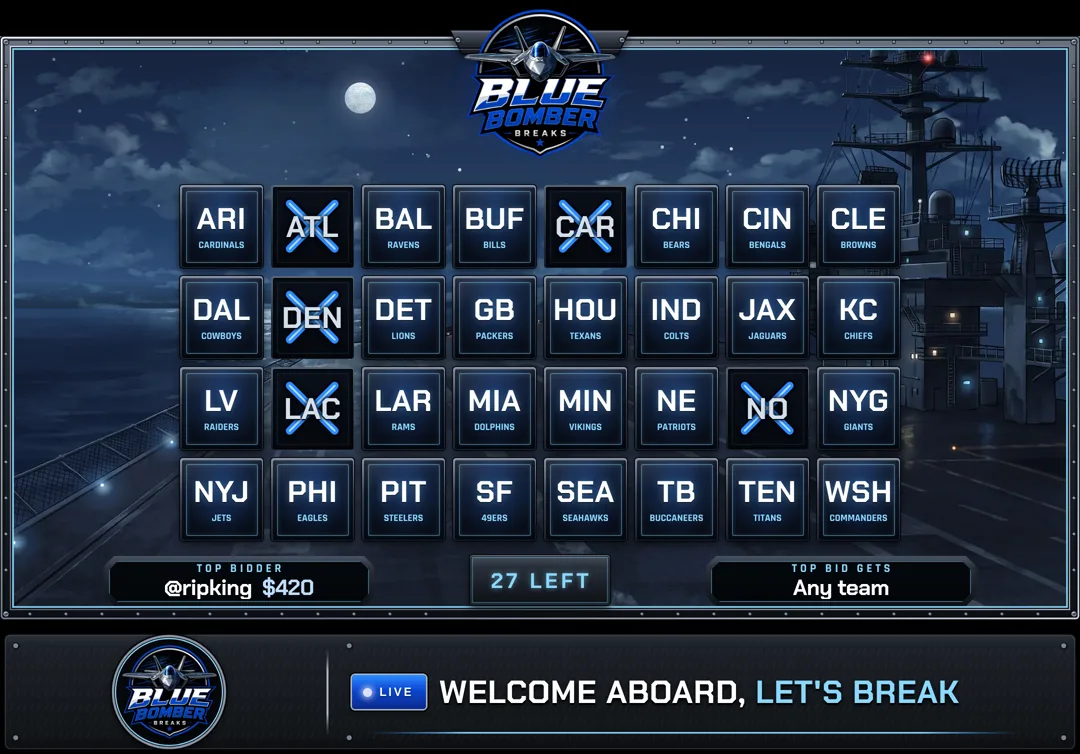
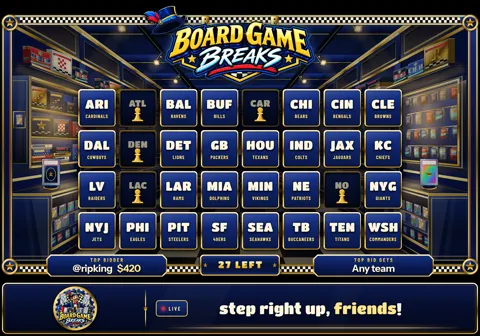
A break board is the on-screen graphic that shows every spot in a card break and who bought it (what is a break board). The choices run from a whiteboard on camera to a custom-built board, with costs and trade-offs side by side in break board options compared. Choose for the show you run now, not the one you might run in a year; these are starting points, so check the specific product, not just the category.
| Your show | Start with | Check first |
|---|---|---|
| Whatnot phone app only | A whiteboard or printed team sheet on camera | Whatnot’s break tools need a computer |
| New, or one or two breaks a week | Free options; a template for a finished look | Which formats you actually run |
| Several breaks a night | Any board with a control panel | Clicks per spot, saved team lists, one-step reset |
| Big number breaks | A layout that pages, or a grid drawn for 50 to 100 spots | Long usernames, read on a phone |
| A moderator runs the board | A control panel that opens on another device | Test it from the moderator’s device |
| More than one sport | Every league’s teams loaded | Switching sports without a rebuild |
| Your look is your brand | Your own design, an adapted template, a themed app or a build | Build time, rounds of changes, who edits it later |
You stream from the Whatnot phone app
You can’t lay a break board over your camera from the Whatnot phone app; that takes streaming software such as OBS on a computer. A whiteboard or printed team sheet on camera covers the basics. Screen share can show a board running on a computer as a second view, but not on top of your camera (Whatnot: sharing your computer screen). As of November 2026, Whatnot’s own break tools are used from a computer too (Whatnot: Breaks feature).
You’re new, or you break once or twice a week
Start with what’s free: Whatnot’s spot list, a whiteboard, a spreadsheet in OBS or a design of your own. A few weeks of shows will tell you which formats you run (Whatnot break formats), how big your breaks get and where the board slows you down. If you want a finished look straight away, a template is the lowest-cost paid step.
You run several breaks a night
Speed matters more than looks. Look for a control panel, where one click or a typed name marks a spot, rather than editing layers in OBS by hand; saved team lists, so the next break loads in seconds; and a one-step reset between breaks. Templates, board apps and custom boards can all offer this; ask about the product in front of you.
You sell big number breaks
Fifty or a hundred numbered spots need a layout that stays readable on a phone, either by paging or with a grid drawn for that count. Ask to see the board at your largest size with long usernames filled in. As of November 2026, Whatnot’s Breaks feature lets you batch-generate spots or paste up to 75 custom spots per break (Whatnot: Breaks feature), so check how you’ll set up a big number break there too.
A moderator runs the board
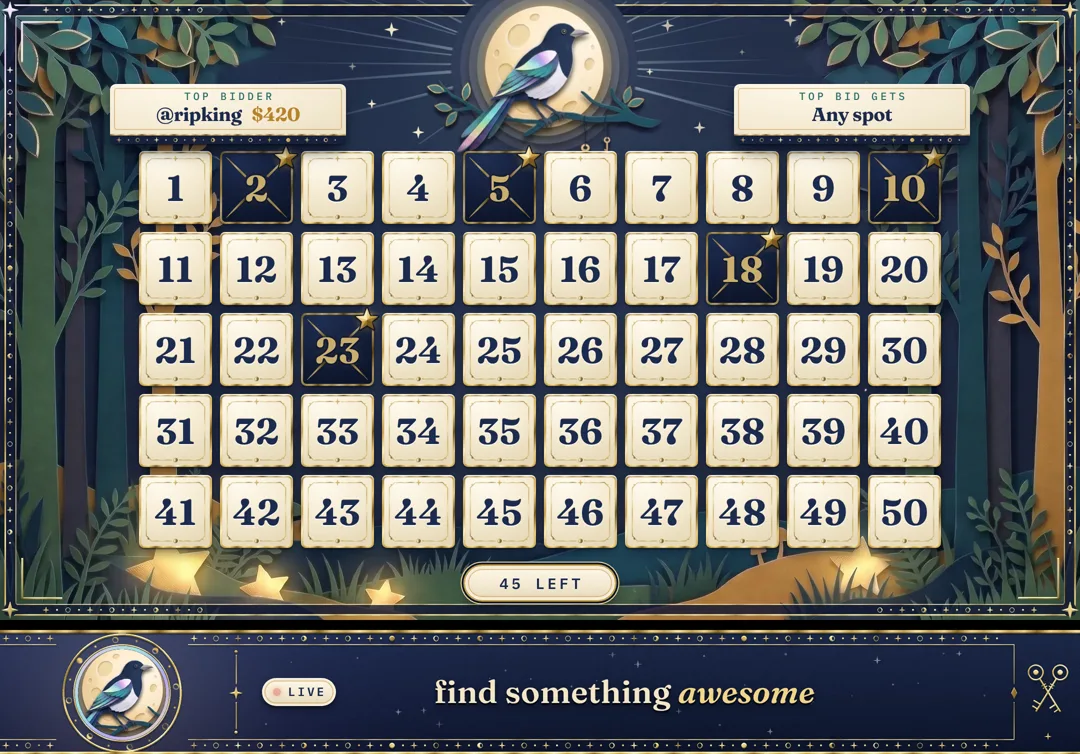
Check where the control panel runs. Some open only on the streaming computer; others open on a phone, tablet or second computer, so a moderator can mark spots while you rip. Test it from the device your moderator will actually use.
You break more than one sport
Check that each league’s teams are loaded and that switching sports between breaks doesn’t mean rebuilding the board. For custom builds, the number of leagues is one of the things that moves the price (what a break board costs).
Your show’s look is part of your brand
To carry your shop’s name, colors and style, you can design a board yourself, adapt a template, customize a board app’s theme or have one built. For a build, ask how long it takes, how many rounds of changes are included and who makes changes later (how to brand a card break show).
What is the best break board for Whatnot?
There is no single best break board for Whatnot. The best one for your show is whichever meets Whatnot’s rules and its vertical screen, then fits your situation above. As of November 2026, that means a board that does six things:
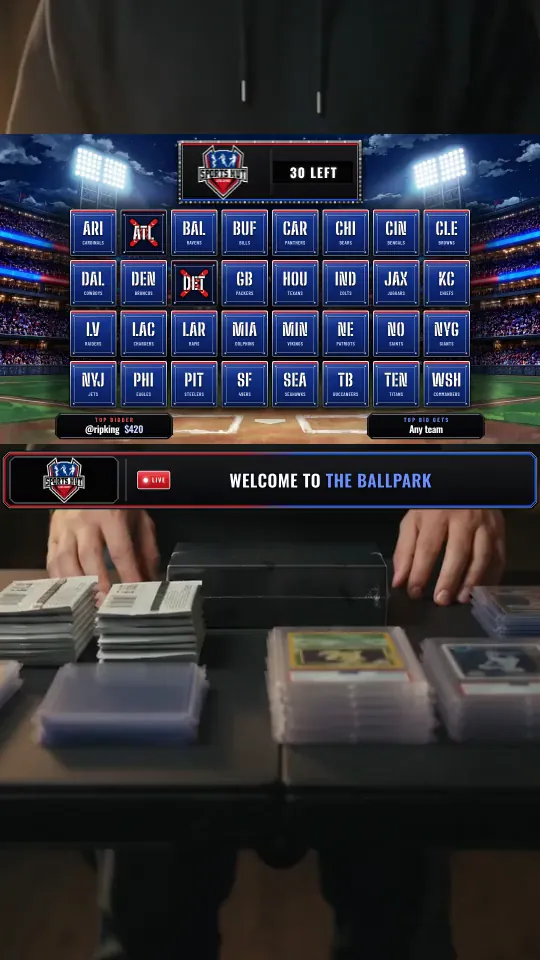
- It never picks winners. Whatnot’s Card Breaks Policy says sellers may not use randomizer wheels, including “digital wheels run through third-party websites and streaming software.” In a random team break, Whatnot’s randomizer assigns teams as each spot sells or when you tap Randomize, or you use Assign Team with a physical randomizer such as a deck of cards. The board only shows the result (Whatnot randomizer wheel rules). The policy says it “applies to any use of a wheel,” so avoid wheel-shaped graphics even for a result that’s already decided.
- It fits a 1080×1920 vertical canvas. Whatnot’s guide to using OBS sets the canvas to 1080×1920 (9:16). Many viewers watch on a phone, with buttons and chat over parts of the picture, so the board has to sit clear of them (Whatnot’s safe zones).
- It leaves the cards and your hands in view. The policy says “the full display of any Card Break must be kept onscreen from the sale of an item to the end of the Break,” including hands and the opening of product. Many breakers shrink the board while they rip rather than hide it; check that the board can.
- It keeps up with Whatnot’s Breaks feature. Whatnot tracks spots and buyers in the app and the board shows them on your video, so every result goes into both; the quicker that is, the better (Whatnot: Breaks feature).
- It doesn’t promise prizes. “Top bid gets any team” describes the spot itself. A board that advertises something extra for a certain pull is offering a prize, which Whatnot’s Card Breaks Policy and its Gambling and Purchase-Based Prize Policy don’t allow.
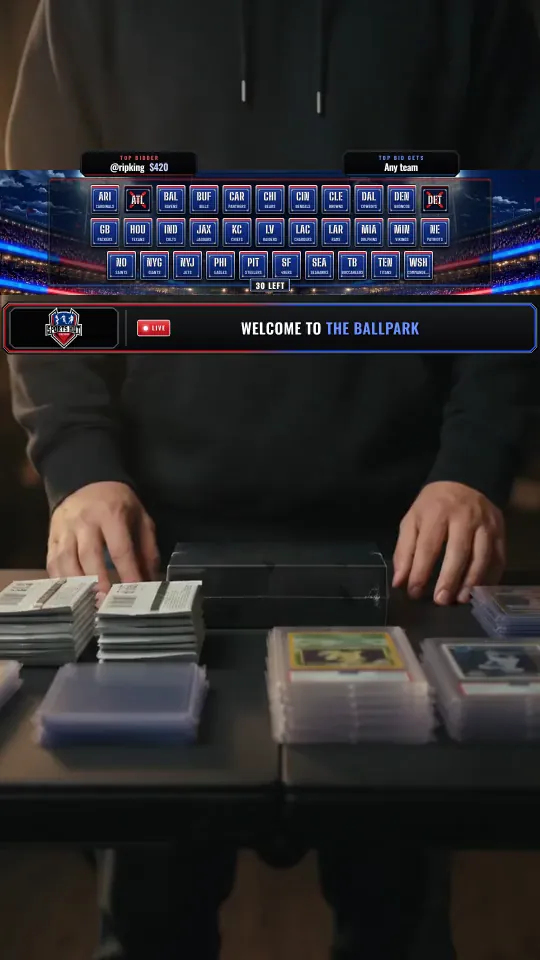
- It doesn’t ship with team logos. Team and league logos are trademarks, and Whatnot’s Community Guidelines say sellers may not use another’s intellectual property without authorization. Short team codes in generic colors are the lower-risk choice. This isn’t legal advice.
Policy facts checked 10 November 2026: Whatnot Card Breaks Policy · Whatnot Gambling and Purchase-Based Prize Policy · Whatnot Breaks feature · Whatnot: Using OBS · Whatnot screen sharing · Whatnot Community Guidelines
How to test a break board before you go live
Run a mock break on the computer you stream from before the board goes in front of buyers. Anything that goes wrong in it would go wrong with chat watching too.
- Set it up from scratch. Add it to OBS on a 1080×1920 canvas, the way you will on show night, and note how long it takes and what you had to look up. Start a local recording with the board animating, and check that the CPU figure at the bottom of the OBS window stays steady and no “encoding overloaded” warning appears (why OBS uses so much CPU with a break board).
- Fill a 30-team Pick Your Team break. Use made-up buyer names, including a long username. Count the clicks it takes to mark one spot and time the whole fill. If marking a spot takes longer than selling it, the board will fall behind.
- Run a random team break. Sell the spots to made-up buyers, then enter 30 team assignments as if Whatnot’s randomizer had just made them, and time it. This is often the slowest part of a random break.
- Fix a mistake. Move a spot to a different buyer, undo a sale and record a trade. Each should take one change, without clearing the board on stream.
- Restart halfway. With half the spots sold, close and reopen OBS, then restart the computer. Check whether the sold spots and buyers come back on their own (restarting OBS mid-break).
- Shrink it for the rip. Switch to the way you’ll show the board while opening packs. The cards and your hands should keep most of the screen, with buyers still readable.
- Read it on a phone. Open a screenshot of the OBS canvas full screen on a phone and check that every code and name is readable. On your first live show, watch from a second account: Whatnot’s OBS guide says you need an account other than the one that’s live to view your show. Check that nothing sits under the app’s buttons or chat.
- Reset for the next break. Time how long it takes to clear the board and load the next team list.
- Hand it to your moderator. If someone else will run the board, have them repeat steps 2 to 4 from their own device.
- Look for anything that picks. Open every menu; any spin, shuffle or random-pick feature stays off on Whatnot.
What to ask before you pay
A mock break can’t tell you who sets the board up in OBS, what it needs (which version of OBS, Windows or Mac, an internet connection during the show), or what adding a league or format costs, so ask. Ask too whether you can see it working first, through a trial, a demo or a preview. Questions about money, such as what you pay after the first year and what keeps working if you stop paying, are covered in what a break board costs.
When is a custom break board worth it?
A custom break board is worth it on Whatnot once your formats and look have settled, you stream often from OBS, and you’d rather have the design and setup done for you. It’s hard to justify while you’re still testing formats, if you stream only from the Whatnot phone app, or if you want to redesign often. As of November 2026, custom boards cost about $500 to $5,000 or more.
In more detail, a custom-built board is hard to justify if:
- you’re still working out which formats you’ll run and how often you’ll stream;
- you stream only from the Whatnot phone app, so a board can’t sit over your camera;
- you need a board this week and can’t wait for a design and build;
- you want to redesign the board yourself often, which a board app or your own design lets you do without going back to a designer.
Where a build lands in that price range depends on features, animations and leagues (what a break board costs).
Disclosure: BreakerStudio, which publishes this guide, builds custom break boards. As of November 2026, a BreakerStudio board is $799 once and yours to keep, with custom break animations, stream scenes, a control panel and a year of updates included. After the first year, updates are $99 a year and renew automatically until you turn them off; you keep your board either way. We’ll make you a free preview first.
Quick answers
What is the best break board for Whatnot?
There is no single best break board for Whatnot; the right one depends on your show. As of November 2026, a good break board for Whatnot never picks winners, fits a 1080×1920 vertical canvas clear of the app’s buttons, leaves the cards and your hands in view, and updates fast enough to keep up with sales.
Do I need OBS to use a break board on Whatnot?
Yes, or similar streaming software. To lay a break board over your camera on Whatnot, you need streaming software such as OBS on a computer (how to set up OBS for Whatnot). From the Whatnot phone app you can use a whiteboard or printed sheet on camera, or screen share a board running on a computer as a second view, but not on top of your camera.
Should a new Whatnot breaker buy a custom break board?
A new Whatnot breaker doesn’t need a custom break board to start. Whatnot’s spot list, a whiteboard, a spreadsheet in OBS or a template covers the first shows, and a few weeks of shows will tell you which formats and features you actually use.
Is a break board template or a board app better?
Neither a template nor a board app is better for every breaker. A template is paid once, about $80 to $110 per item as listed in November 2026, and is often graphics only, so you set it up and may update spots by hand in OBS. A board app costs about $15 to $30 a month and lets you make changes yourself. Test either with a mock break before going live.
How do I test a break board before going live on Whatnot?
Test a break board for Whatnot with a mock break in OBS on the computer you stream from. Fill a 30-team break with made-up names, time a random team entry and fix a wrong buyer. Then restart OBS halfway to see if the sold spots come back, and read the board on a phone.
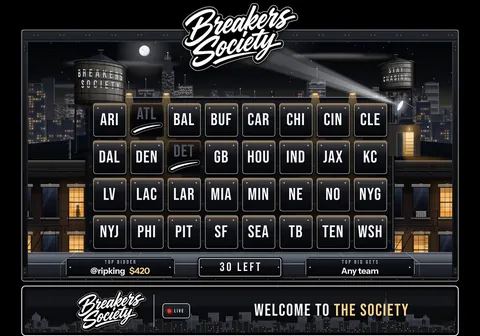 What is a break board?
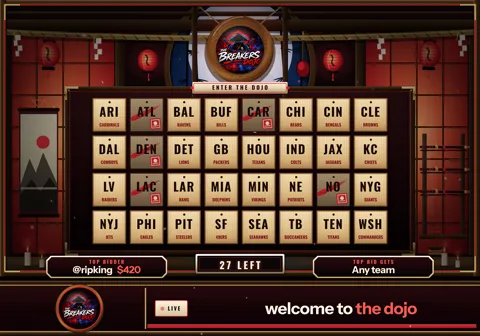 How much does a break board cost?
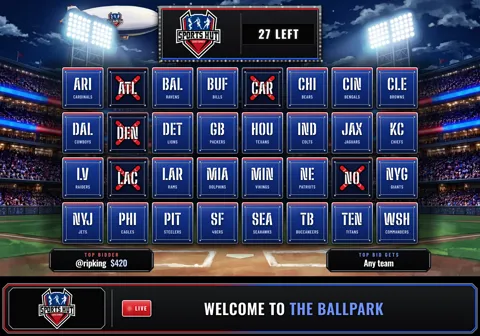 Can you use a randomizer wheel on Whatnot?
 How to keep a break board running in OBS