How to brand your break show.
Branding a card break show means choosing a shop name, a logo or mascot, two or three colors and a theme, then using them the same way on your Whatnot profile, show thumbnails, break board, mid bar, break animations and stream scenes. League and team logos are trademarks, so a look built from your own name and art is the lower-risk choice; this isn’t legal advice.
By Michael at BreakerStudio · Updated
What does branding a card break show mean?
A card break show’s brand is what viewers recognize you by before you say a word. Branding means choosing its parts once and using them the same way everywhere a buyer meets you, from the Whatnot feed to the last card of the night.
| Part | What it is | Where it shows up |
|---|---|---|
| Name | Your Whatnot username and display name, and the name in your logo | Your profile, your shows in the feed, chat, your board |
| Logo or mascot | A mark that still reads at thumbnail size. A mascot is a character that can also appear in animations and scenes | Profile photo, show thumbnails, the board’s header, the mid bar, stream scenes |
| Colors | Two or three: a base, a main color and an accent | Board, mid bar, thumbnails, scenes |
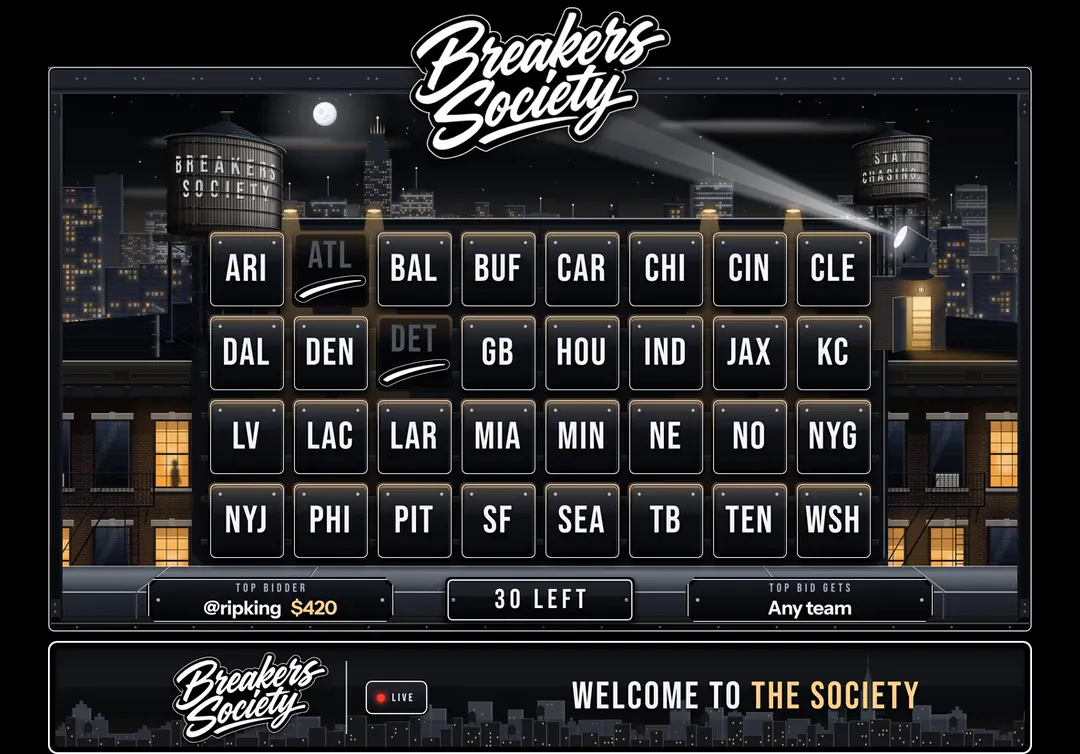
| Theme | The setting your board sits in: a city rooftop at night, a ballpark, a storybook forest | Board, break animations, stream scenes |
| Voice | The lines you repeat: a welcome, a sign-off, the way you name your breaks | Show titles, mid bar messages, scenes |
You don’t need all five to start. A name and a profile photo used the same way every show is already a brand; the rest can come as the show grows.
How to choose a name for a Whatnot break shop
A good name for a Whatnot break shop is easy to say on stream and to spell in search, free on Whatnot and on the social accounts where you post clips, built on your own words rather than a team or league name, and wide enough to cover another sport or product later. Settle it before you build a logo, board and scenes around it.
- Easy to say and spell. You’ll say it on stream, and buyers have to type it to find you. Extra underscores and number swaps (a 0 for an o) are hard to say out loud.
- The same everywhere. Check that the name is free on Whatnot and on the social accounts where you post clips, so one search finds you on all of them.
- Yours, not a league’s. A name built on a team or league name raises the same trademark question as a logo on your board (can you use team logos in your branding).
- Wide enough to grow. A name tied to one sport or one product can feel narrow if you add another later.
Whatnot gives you two names. As of November 2026, your username can use only lowercase letters, numbers and underscores, up to 30 characters. You can change it once every 24 hours, but only when you have no pending orders as a buyer or seller, and Whatnot says orders count as pending until they’re marked Complete, usually about 30 days after delivery. Your display name (Whatnot calls it your name) appears publicly on your profile and can be changed any time (Whatnot: update your username or name). Because a username change can mean waiting out your pending orders, plan a rebrand ahead rather than switching on a whim.
Choosing break show colors that read on a phone
Pick two or three colors and use them every time: a base, often dark so the cards and team codes stand out; a main color; and one accent for things that need attention, like the last open spot or a big hit. You don’t need color codes to brief a designer; “the green from my logo” is enough to start.
Whatnot streams are vertical and many viewers watch on a phone, where your board is small and the app’s buttons and chat sit over parts of the picture. So:
- Contrast first. Text has to stand clear of what’s behind it. The web accessibility guidelines set a minimum contrast of 4.5 to 1 for normal text (WCAG: contrast minimum); team codes, usernames and the spots-left count deserve at least that.
- Sold has to look sold. An open spot and a sold spot should differ by more than color alone, with a strike-through, a dimmed tile or the buyer’s name, because some viewers can’t tell red from green.
- Bold over thin. Script lettering and fine outlines disappear on a phone. Keep them for the logo, and set codes and names in a bold, plain font.
- Check it on a phone. Watch a test stream on a phone from a second account before you settle on a palette, and keep the important parts clear of the app’s buttons (Whatnot’s safe zones).
What logo files do you need for a break show?
For a break board, Whatnot show thumbnails and stream scenes, prepare five logo files: the vector original (SVG, AI, EPS or PDF), a PNG with a transparent background at least 1,000 pixels wide, a square version for your profile photo, a wide version for the mid bar, and a one-color version for busy backgrounds and watermarks on clips. What each file is for:
| File | Why it matters |
|---|---|
| Vector original (SVG, AI, EPS or PDF) | Scales to any size without blurring. It’s the file a designer wants most. |
| PNG with a transparent background, at least 1,000 pixels wide | Sits on a board, thumbnail or scene without a white box around it |
| Square version | For your profile photo and other small spaces; it should still read when tiny |
| Wide version | For the mid bar and other short, wide spaces |
| One-color version | For busy backgrounds, and as a small watermark on clips and photos |
No vector file? Ask whoever made the logo for one; failing that, the largest PNG you have, or a clear photo of a sign or shirt, gives a designer something to work from. A mascot needs the same set, plus a head-only version for small spaces.
Keep the text inside a logo short. A slogan under the name turns into a smudge at thumbnail size; put it in the mid bar instead.
Choosing a theme for your break board and scenes
A theme is the setting your board lives in: a city rooftop at night, a ballpark, a game shop after hours, a storybook forest. It turns a grid of spots into a place, and it gives your break animations and stream scenes something to match. The easiest themes come straight from the name or the mascot, so the board explains the brand without words.
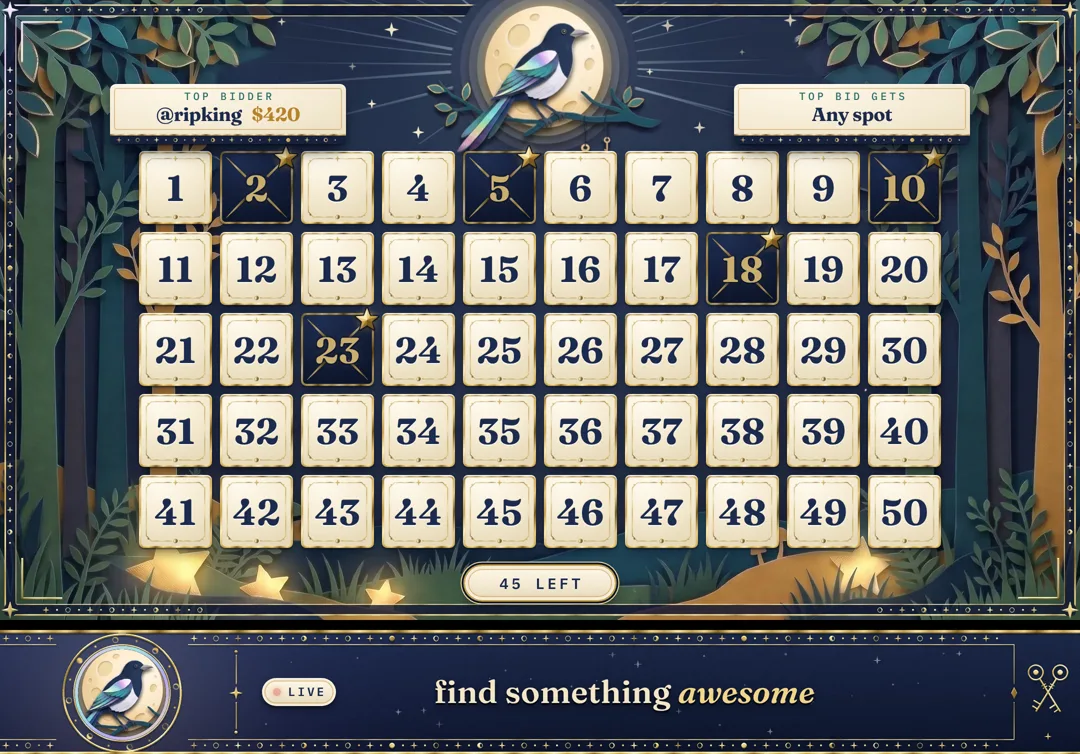
Two limits keep a theme working during a break:
- The theme frames the cards, never covers them. As of November 2026, Whatnot’s Card Breaks Policy says the full display of a break “must be kept onscreen from the sale of an item to the end of the Break”, including the product, tools and your hands. Keep the theme, the board and its animations clear of the cards.
- The spots win over the scenery. A busy background behind the tiles makes codes harder to read on a phone. Put the detail around the edges.
Stream scenes are where a theme gets the whole screen: before the show, between breaks and at the end, never during a break.
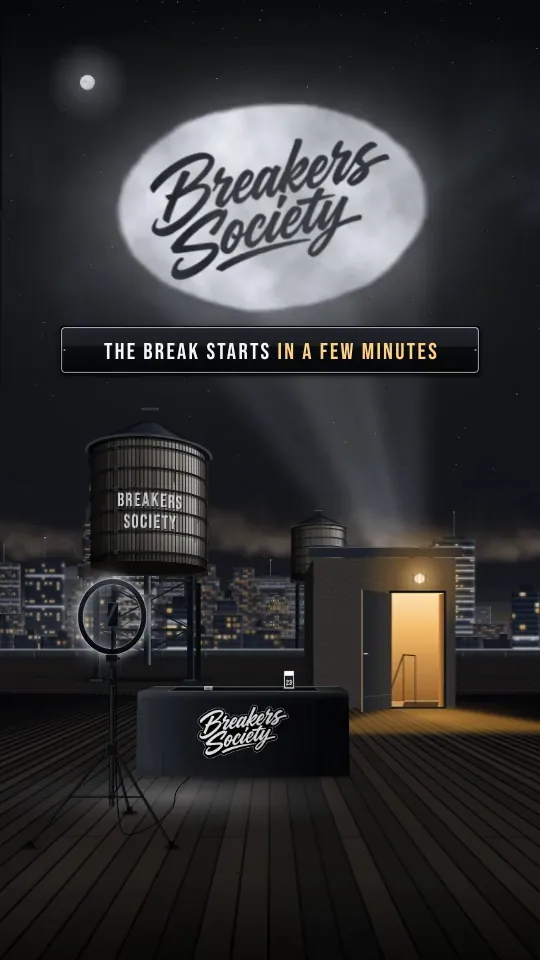
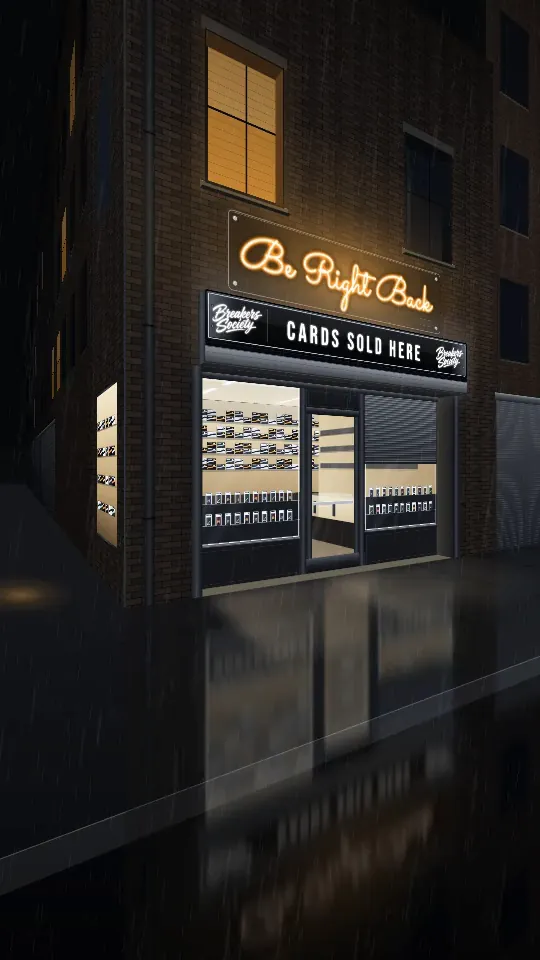
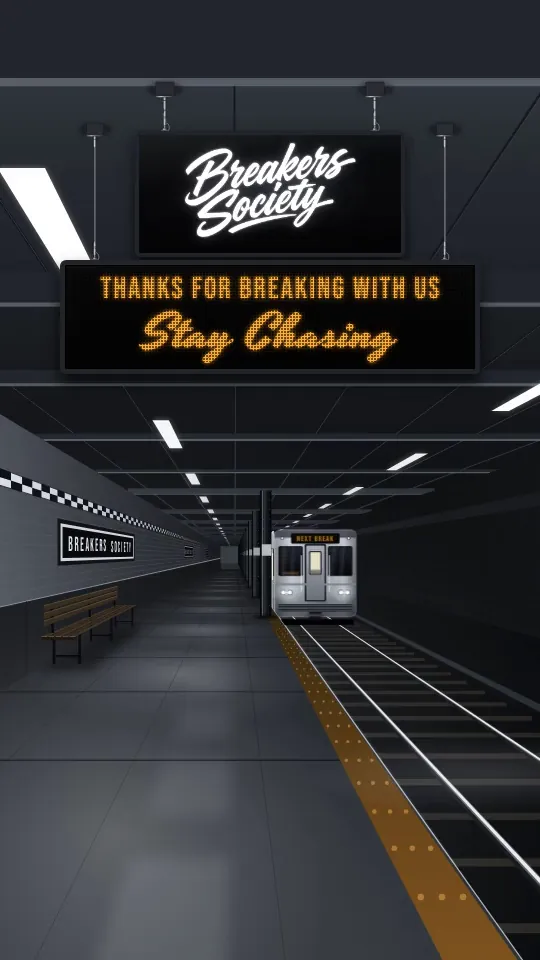
One look carried through a show’s starting, on-break and ending scenes: the same logo, colors and city at night.
More in stream scenes for breakers and break animations.
Disclosure: BreakerStudio, which publishes this guide, builds custom break boards. As of November 2026, a BreakerStudio board is $799 once and yours to keep, with custom break animations, stream scenes, a control panel and a year of updates included. After the first year, updates are $99 a year and renew automatically until you turn them off; you keep your board either way. We’ll make you a free preview first.
Where your brand shows up on Whatnot and on stream
A brand works through repetition: the same name, logo, colors and lines every time a buyer sees you. For a break show, that means:
On Whatnot
- Profile photo. Your logo or mascot, square and readable when small. As of November 2026, Whatnot’s Seller Academy Go Live Guide recommends at least 160 × 160 pixels, notes the picture is cropped to a circle, and suggests a 750 × 424 pixel image for your banner. Whatnot also uses your profile photo as a show’s thumbnail when you don’t add one (Whatnot: schedule, edit and start a show).
- Show thumbnails. As of November 2026, Whatnot asks for a vertical image or video at a 9:16 ratio and recommends 1080 × 1920 pixels (Whatnot: schedule, edit and start a show). A set layout, with your logo and colors in the same place and the product changing each show, makes your shows easy to spot in the feed.
- Show titles. Pick a pattern and keep it, for example product, then format, then size. As of November 2026, Whatnot says shows only appear in the selected category (Whatnot: schedule, edit and start a show), so pick the one that matches what you’re breaking.
Whatnot profile picture, banner and thumbnail sizes
| Image | Size (November 2026) | Source |
|---|---|---|
| Profile photo | At least 160 × 160 pixels, cropped to a circle | Whatnot Seller Academy: Go Live Guide |
| Banner (cover image) | 750 × 424 pixels | Whatnot Seller Academy: Go Live Guide |
| Show thumbnail or preview video | Vertical, 9:16, with 1080 × 1920 pixels recommended; your profile photo is used if you add none | Whatnot: schedule, edit and start a show |
| Stream from OBS (board and scenes) | 1080 × 1920 vertical canvas | Whatnot overlay size and safe zones |
On stream
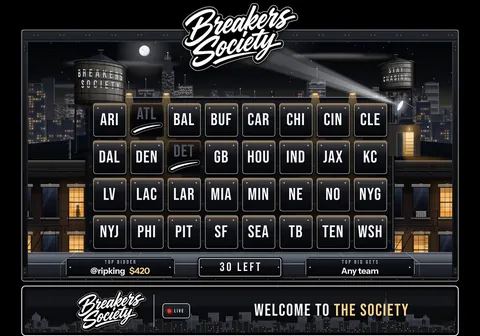
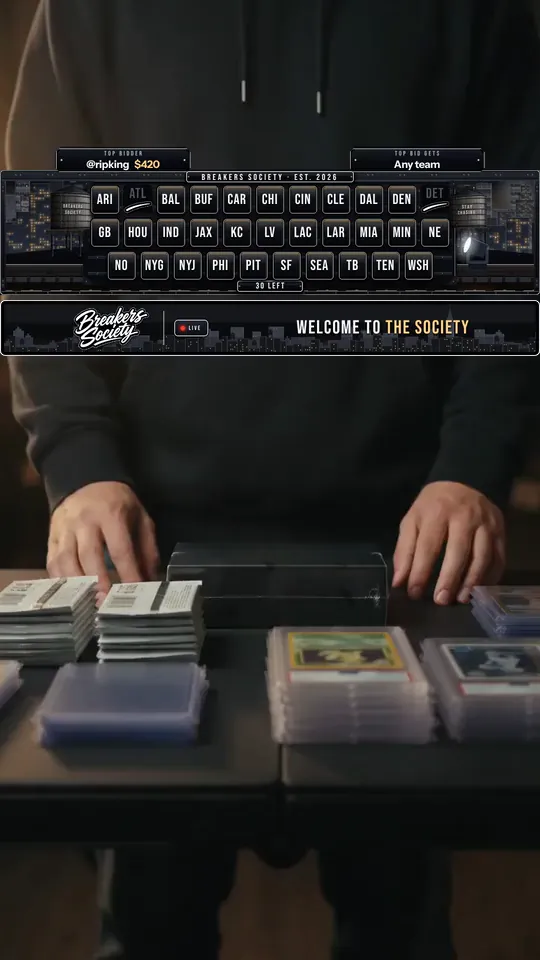
- Break board. Your logo in the header, your colors on the tiles, your theme behind them (what is a break board).
- Mid bar. Write a set of messages once and rotate the same ones every show: your welcome line, how the break works, shipping, a follow prompt, your socials. Short lines read faster on a phone.
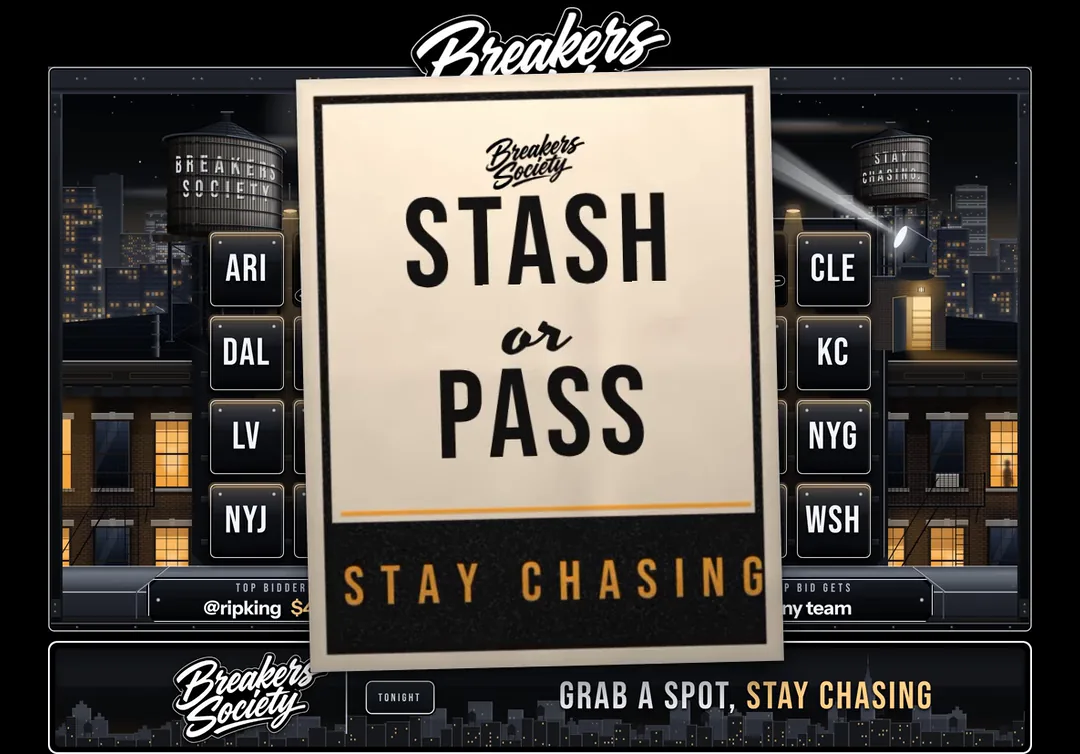
- Break animations. Stash or Pass, See 2 Pick 1 and the like, drawn in your theme so they look like part of the board. Whatnot lists these as formats, such as Stash or Pass and Pick 2 Choose 1 (Whatnot: Breaks feature); on stream they’re played as break animations, and they only show an outcome the buyer, you or Whatnot already decided.
- Stream scenes. Starting soon, be right back (BRB) and ending scenes in the same theme (stream scenes for breakers).
- Sound. The same few sounds for a sale, the last spot and a big hit become part of how the show feels.
Off stream, the same logo goes on the clips you post and, if you like, a thank-you card in the box.
Can you use team logos in your break show branding?
Not safely without permission. Team and league names and logos are trademarks, so building them into a shop name, logo, board or thumbnail is a rights question, not only a design choice. As of November 2026, Whatnot’s Community Guidelines say sellers may not use another’s intellectual property, “such as images or video, without authorization”, and eBay Live’s policy allows only images you own or have written consent to use.
The lower-risk approach many breakers take:
- Short team codes (NYG, KC) on the spots, in generic colors or your own, rather than each team’s logo.
- Your own logo, mascot and theme carrying the look, so the board doesn’t need anyone else’s.
- Any picture you add to a spot, a thumbnail or a scene is one you made, licensed, or have permission to use.
This isn’t legal advice. If your name or logo already leans on a team or league, ask a trademark lawyer before you put it on everything. For the board itself, see Can you put team logos on a break board?
Policy facts checked 10 November 2026: Whatnot Card Breaks Policy · Whatnot: update your username or name · Whatnot: schedule, edit and start a show · Whatnot Breaks feature · Whatnot Seller Academy: Go Live Guide · Whatnot Community Guidelines · eBay Live policy
Quick answers
How do you brand a card break show on Whatnot?
Branding a card break show on Whatnot means choosing a shop name, a logo or mascot, two or three colors and a theme, then using them the same way on your Whatnot profile photo, show thumbnails and titles, break board, mid bar, break animations and stream scenes. League and team logos are trademarks, so building the look from your own name and art is the lower-risk choice. This isn’t legal advice.
What size is a Whatnot show thumbnail?
As of November 2026, Whatnot asks for a vertical show thumbnail or preview video at a 9:16 ratio and recommends 1080 × 1920 pixels. If you don’t add one, Whatnot uses your profile photo instead, so a profile photo that reads when small does double duty (Whatnot: schedule, edit and start a show).
What size is a Whatnot profile picture and banner?
As of November 2026, Whatnot’s Seller Academy Go Live Guide recommends a profile picture of at least 160 × 160 pixels, which Whatnot crops to a circle, and a 750 × 424 pixel image for your account banner. Keep a logo or mascot centered with room around it, so the circle crop doesn’t cut it and it still reads when small (Whatnot Seller Academy: Go Live Guide).
Can you change your Whatnot username?
Yes, with a catch for active sellers. As of November 2026, Whatnot lets you change your username once every 24 hours, but only when you have no pending orders as a buyer or seller, and an order stays pending until it’s marked Complete, usually about 30 days after delivery. A Whatnot username can use only lowercase letters, numbers and underscores, up to 30 characters, and your display name can be changed any time (Whatnot: update your username or name).
Can you use team logos in a Whatnot shop name or logo?
Not safely without permission. Team and league names and logos are trademarks, and as of November 2026 Whatnot’s Community Guidelines say sellers may not use another’s intellectual property, such as images or video, without authorization. A shop name, logo and thumbnails built from your own words and art are the lower-risk choice. This isn’t legal advice.
How many colors should a break show brand use?
A break show brand needs two or three colors: a base (often dark, so team codes stand out), a main color and an accent for moments like the last spot. Many Whatnot viewers watch on a phone, so text needs strong contrast with what’s behind it.
 What are break animations?
 What is a break board?
 Where does the Whatnot app cover your stream?